Technical Optimisation
Technical optimisation for search and AI crawlers
Twelve checks on whether search engines and AI assistants can read your website, from robots.txt and AI crawlers to structured data and llms.txt.
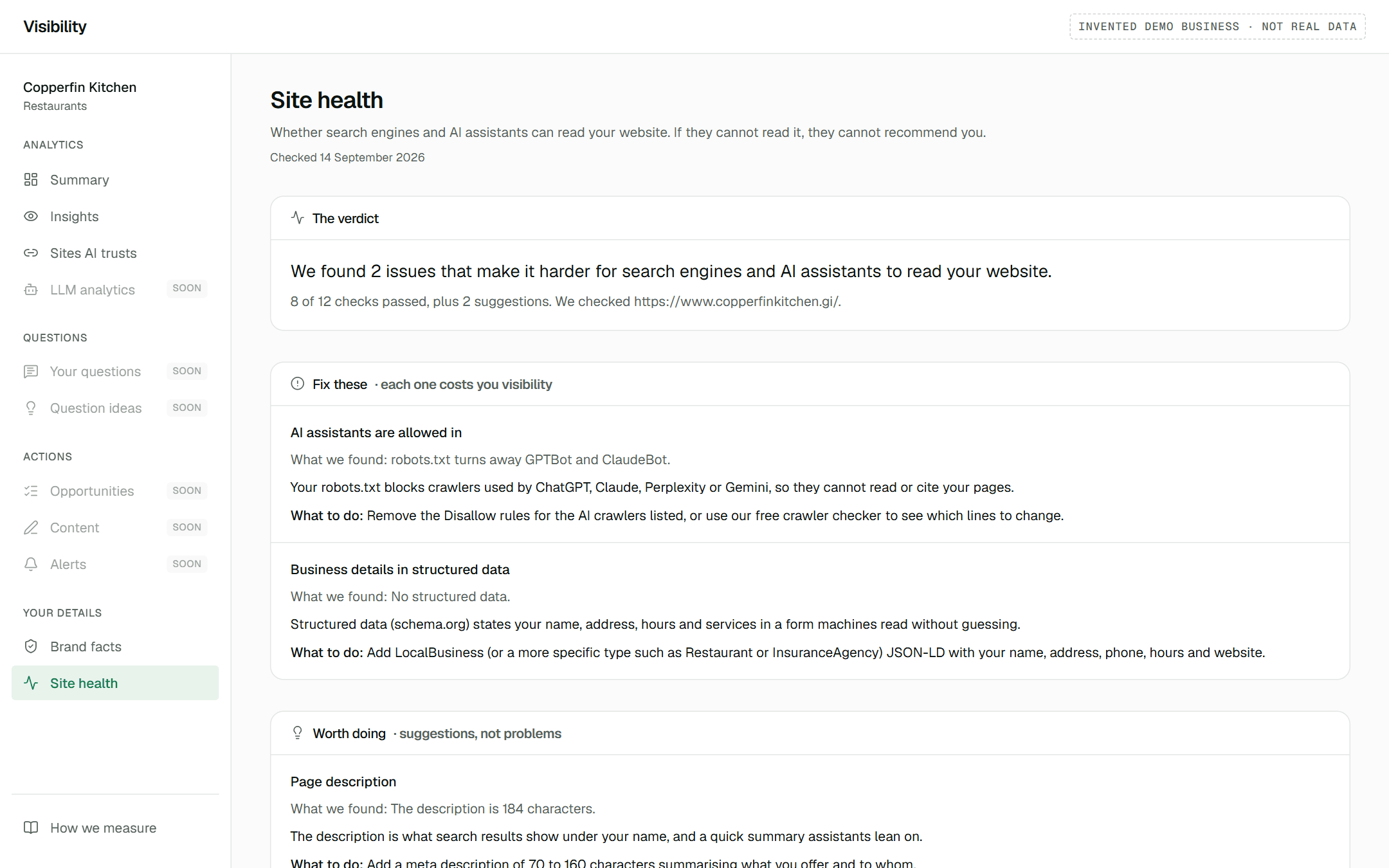
In short
Technical optimisation checks whether search engines and AI assistants can read your website at all. Twelve checks cover access for search and AI crawlers, whether your text is readable without JavaScript, your title, description and main heading, structured data, your sitemap and llms.txt, each with why it matters and what to change.
What does the site check look at?
| Check | The question it answers |
|---|---|
| The site loads | Can a crawler reach your homepage at all? |
| Secure address (https) | Does the site end up on a secure address? |
| Search engines are allowed in | Does robots.txt let Google and Bing read the site? |
| AI assistants are allowed in | Does robots.txt let GPTBot, ClaudeBot, PerplexityBot and the rest in? |
| Homepage can be indexed | Is the homepage free of a noindex instruction? |
| Content readable without JavaScript | Is your text in the page, or drawn in by scripts some crawlers never run? |
| Page title | Does it say what you do, at a sensible length? |
| Page description | Is there a clear summary of 70 to 160 characters? |
| Main heading | Is there one clear main heading? |
| Business details in structured data | Are your name, address and type stated in schema.org markup? |
| Sitemap | Can crawlers find a list of your pages? |
| llms.txt file | Is there a plain summary of the site for AI systems? |
How does it analyse AI bot access?
It reads your robots.txt the way each AI crawler does, crawler by crawler: OpenAI's GPTBot, OAI-SearchBot and ChatGPT-User, Anthropic's ClaudeBot and Claude-SearchBot, PerplexityBot, Google-Extended and Applebot-Extended. Each is reported as allowed, partly allowed or blocked, with what blocking it costs you. The same logic powers the free AI crawler check.
robots.txt is not the only gate: firewall and bot-protection settings can also turn crawlers away. Seeing which crawlers actually visit is what LLM Analytics will add at launch.
Does it tell me how to fix what it finds?
Yes. Each issue comes with what we found, why it costs you visibility and exactly what to change, in plain English you can forward to whoever manages your website. Suggestions that are worth doing but not problems are kept separate from issues, and checks already passing are listed so you know what not to touch.
- Free: the verdict and how many issues there are.
- Growth: every issue, with why it matters and what to do.
Is this a security scan?
No. The checks read only what any visitor's browser receives: your homepage, robots.txt, sitemap and llms.txt. They look at readability, never vulnerability: no software versions, no plugins, nothing that would amount to a list of weaknesses.
Common questions
Is this the same as an SEO audit?
It covers the technical basics that both search engines and AI assistants depend on, with AI crawler access checked in detail. It does not rank keywords or audit backlinks.
Can I run the checks without signing up?
Some of them. The free AI crawler check and llms.txt generator are open to anyone. The full twelve-check report for your own site is part of your dashboard.
How do I know a fix worked?
The report shows when your site was last checked. Once it is checked again after your change, the issue moves to the list of checks passing.