LLM Analytics
LLM Analytics: AI crawlers and AI referral traffic
See how many people reach your website from ChatGPT, Perplexity, Gemini and other AI assistants, and which AI crawlers read your pages.
In short
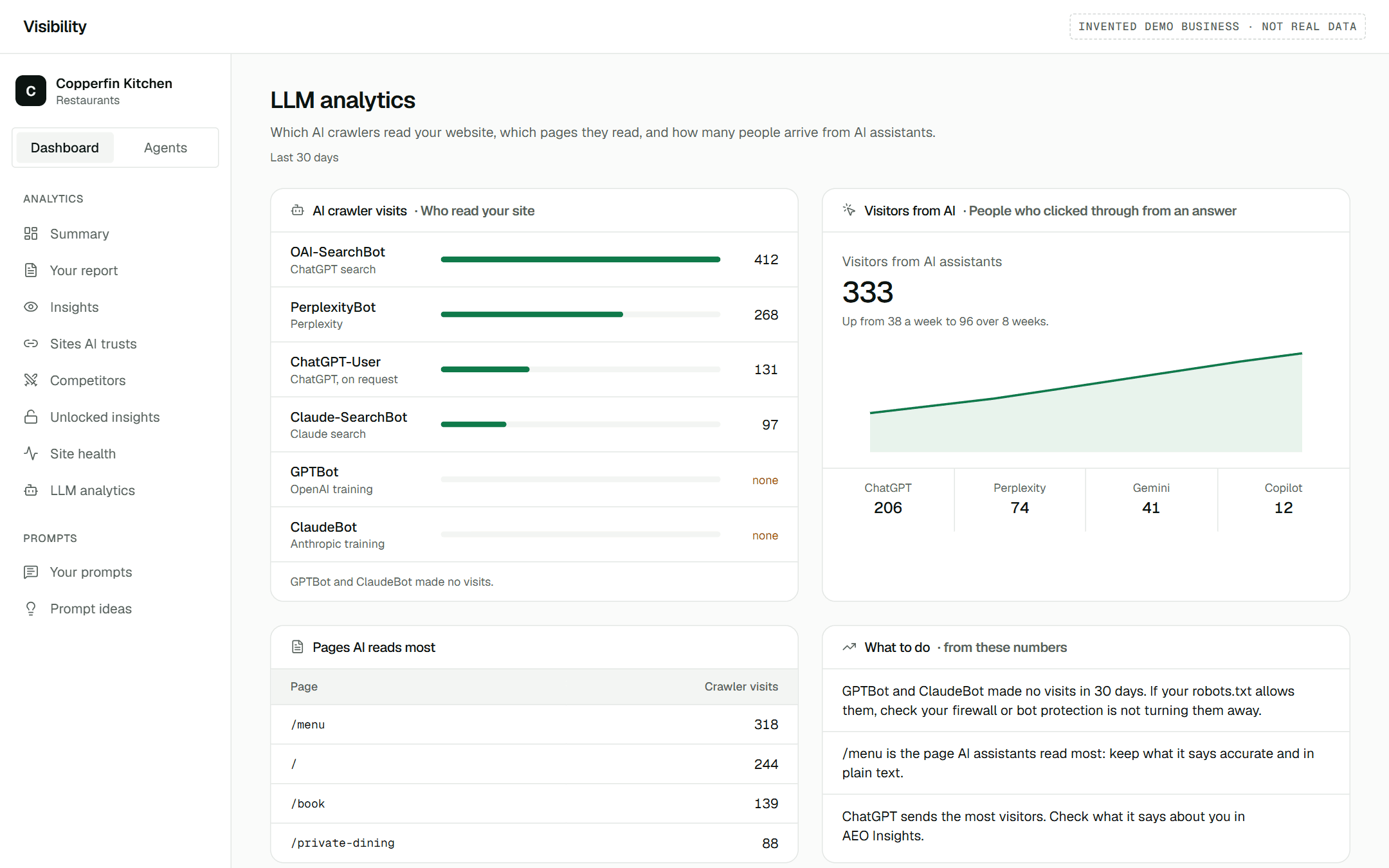
LLM Analytics shows how many people reach your website from ChatGPT, Perplexity, Gemini, Copilot and other AI assistants, and which pages they land on, from one line of code added to your site. It also counts the AI crawlers that read your pages, checked against the addresses each crawler's owner publishes, so a crawler that never arrives shows up as missing.
What does LLM Analytics show?
- Visitors from AI. How many people click through to you from answers in ChatGPT, Perplexity, Gemini, Copilot, Claude and others, week by week, and the page each one lands on.
- AI crawler visits. Which AI crawlers read your site and how often, and which never arrive, so a crawler blocked by a firewall shows up as missing.
- Pages AI reads. The pages the crawlers fetch most, so you know which ones to keep accurate.
- What to do. Plain advice drawn from those numbers.
Visitors from AI work on any website today. Counting crawler visits needs a connection on your server rather than in the page, because crawlers do not run code in a page. On WordPress, our plugin is that connection, and it adds the visitor code for you too.
The screen shown here is drawn with an invented business's figures.
How do I connect my website?
In your dashboard, enter your website's address and you get one line of code to add to the header of every page. The dashboard shows where to paste it on WordPress, Wix, Squarespace, Shopify and Webflow, and a button checks your homepage to confirm it is there.
What does the code collect?
Nothing, unless a visitor arrived from an AI assistant. Then it sends which assistant it was and the page they landed on, and nothing about the person: no cookies, nothing stored in their browser, no identifier. Visits are accepted only from your own website, so the code copied onto another site records nothing.
Why measure AI crawler visits?
Checking robots.txt tells you whether a crawler is allowed in. Visits tell you whether it actually came. The gap between the two catches firewall rules and bot protection that block AI crawlers without anyone noticing, which our guide explains.
A crawler is only counted when its visit comes from an address its owner publishes for it. Anyone can give their software GPTBot's name; a visit that uses the name from elsewhere is set apart, never counted as the crawler.
Visitors from AI close the loop: being named in an answer matters because some of those people then come to you.
Which sites do AI assistants cite?
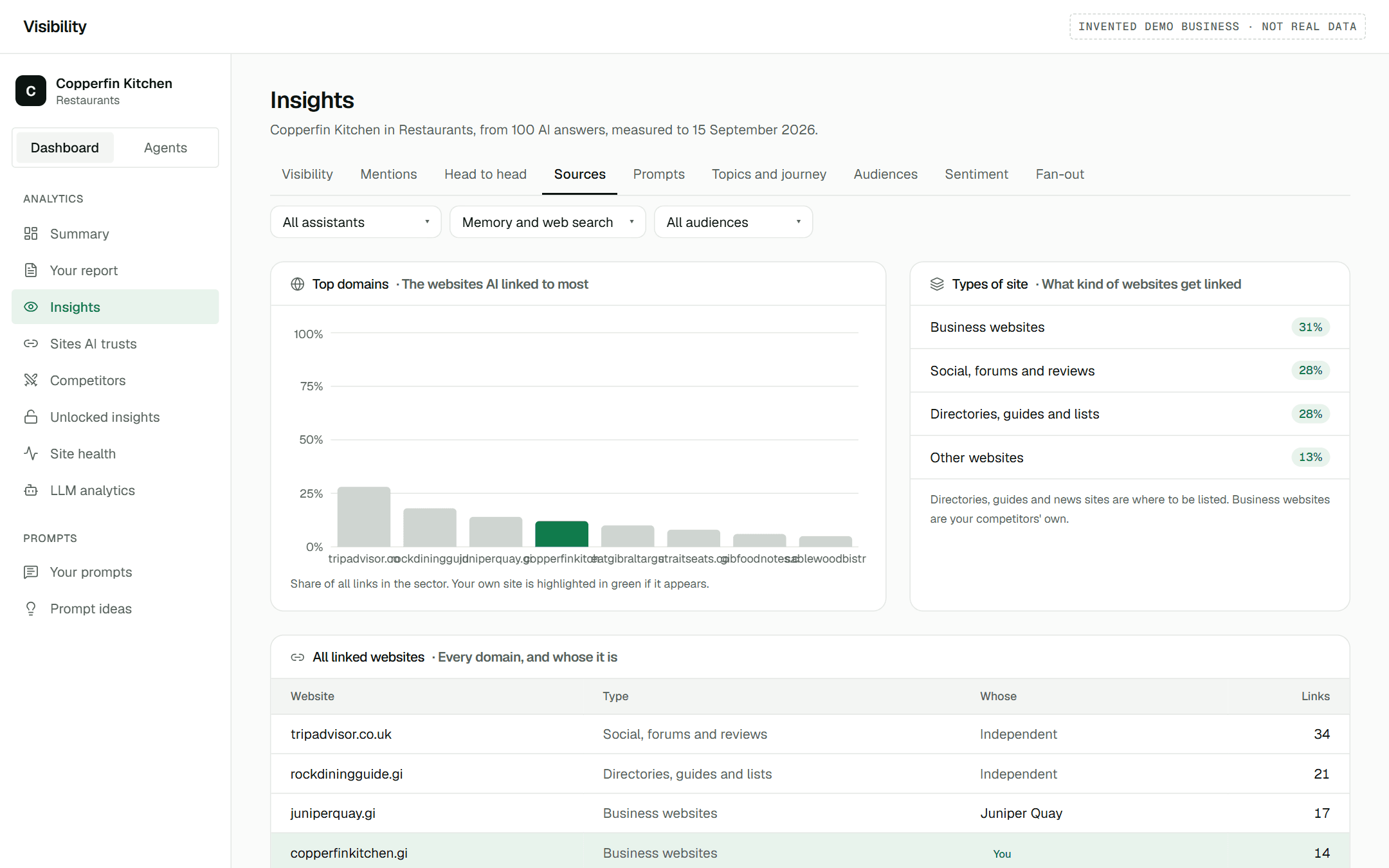
The Sites AI trusts view lists every website the assistants linked to in answers for your sector, marked as your own site, a competitor's or independent, with how often each was cited. On Growth it downloads as a CSV. AEO Insights shows how often your own site is linked, by assistant.
Common questions
Will the code slow my website down?
No. It loads after your page, does nothing for most visitors, and for a visitor from an AI assistant sends one small message in the background, which the browser sends without waiting for a reply.
Do I need a cookie banner for it?
It sets no cookies and stores nothing in the visitor's browser, and it sends nothing about the person, only which assistant they came from and the page. If you are unsure what your own site needs, your usual adviser can confirm it for your setup.
Can I see AI crawler visits to my own website yet?
On WordPress, yes: install our plugin, downloaded from your dashboard with your connection already set, and crawler visits appear from the first one. Crawlers do not run code in a page, so on other platforms they need a server-side connection; visitors from AI work on any website.